
Mod Drawing Surface
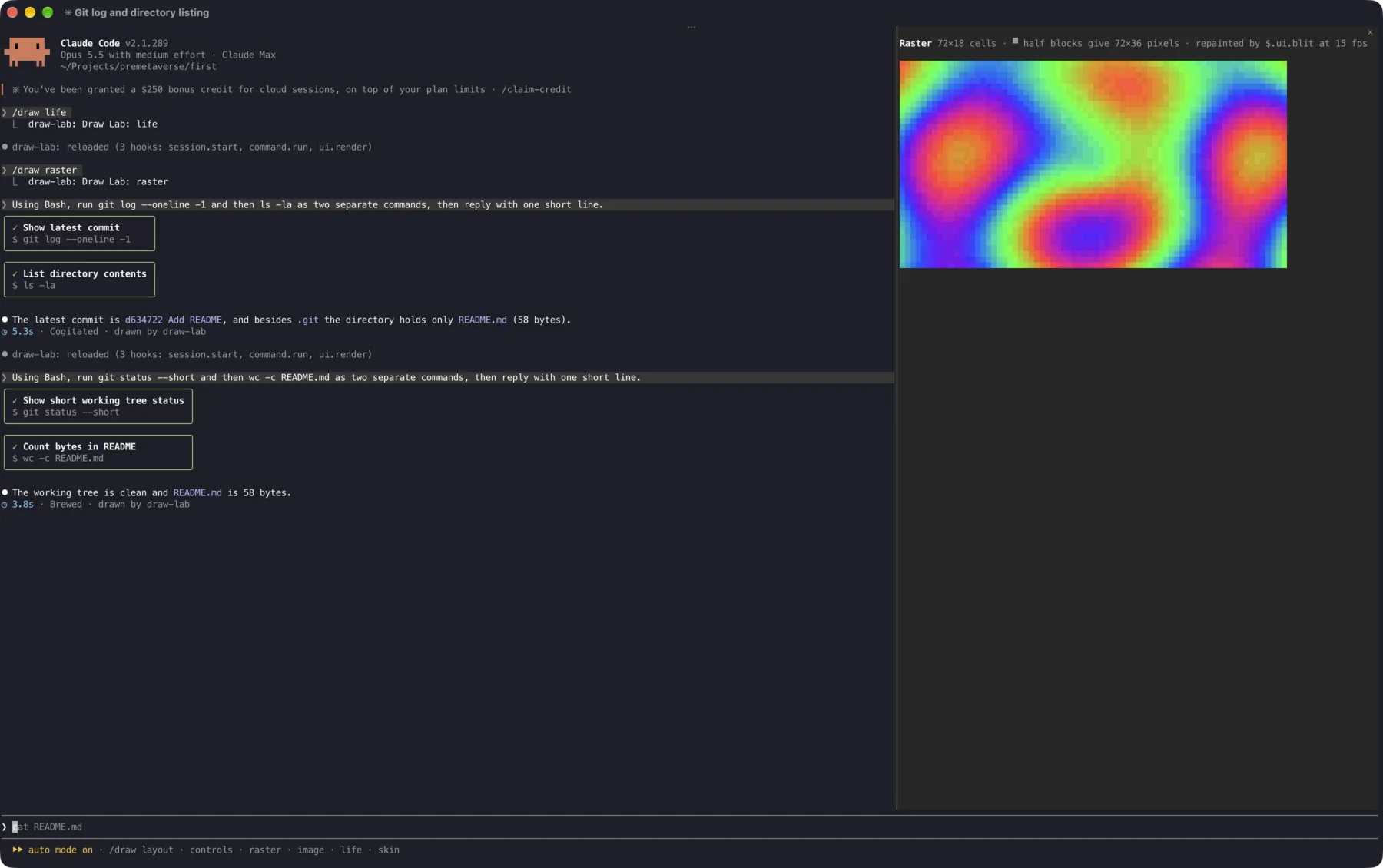
What a Claude Code mod can draw, recorded in a real Ghostty session. The demo mod, draw-lab, adds a /draw command with five pane pages and restyles four parts of Claude Code's own interface. Every capture here was driven through Ghostty's AppleScript commands, with no hand edits.
 1
2
3
4
1
2
3
4
- 1A Raster pane, repainted 15 times a second
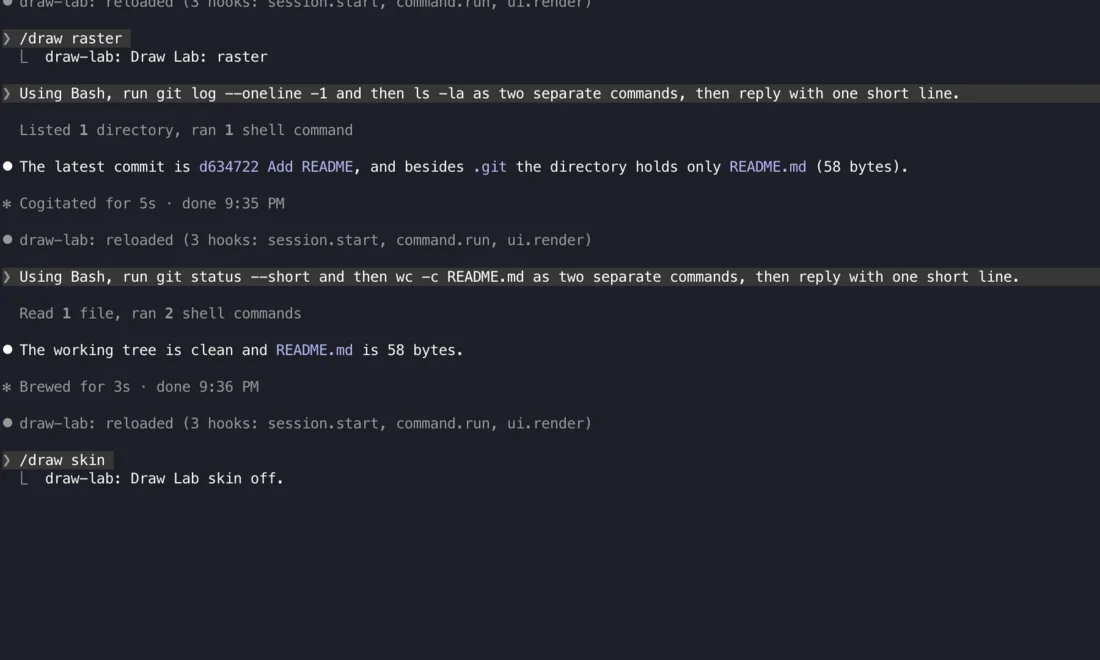
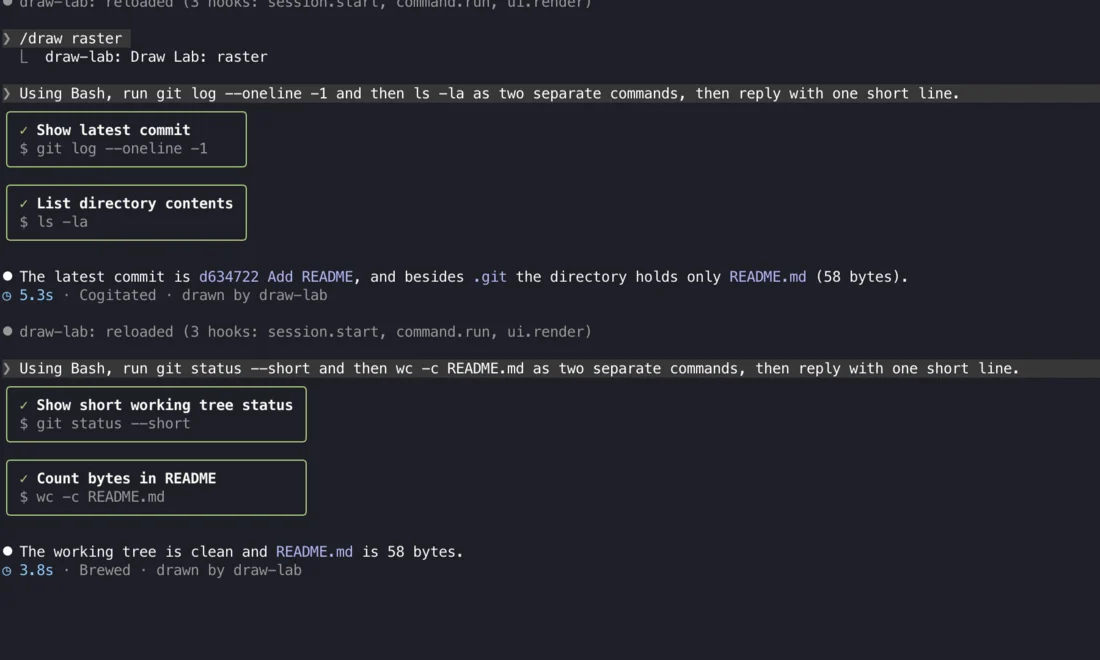
- 2Bash calls redrawn as cards (
ToolUse) - 3Turn timer replaced (
TurnDuration) - 4Prompt hint, in the first version that replaced it (
PromptHint)
Fifteen places a mod can draw
A ui.render hook names a component. It can return its own tree, rewrite the props and call next(e), or pass through untouched. The permission dialog is the one thing a mod cannot redraw, because its answer authorises an action. A mod can only add context to it with $.ui.notice.
Sites in teal are drawn by draw-lab in this recording.
Transcript rows
UserMessageYour prompt, with origin and expansion stateAssistantMessageClaude's text, per replyToolUseOne tool call: input, running, errored, outputToolResultA tool's outputToolGroupA folded run of calls; can be unfoldedToolProgressBackground hints for long callsCommandOutputA slash command's replyInfoNoticeSystem notices in the transcriptAskUserQuestionThe question picker Claude raises
Around the prompt
SpinnerThe working line: verb, message, modeTurnDurationThe "Cooked for 5s" line after a turnSessionModeThe mode indicatorPromptHintThe hint row under the promptAbovePromptA band above the input (part one's demo)
The mod's own space
PaneA docked region the mod opens with$.ui.open; the only site a mod creates
Each site hands the hook typed props. Pane and AbovePrompt also pass their size (bodyColumns, maxRows), their scroll position, and which agent's transcript is in view.
What each surface can draw
Elements are not globals. A hook asks for the table of the surface it is drawing on with $.ui.resolve(e). An element a surface lacks draws as an empty fragment, so one hook can serve every surface.
| Element | Terminal | Desktop | VS Code | Mobile | What it is |
|---|---|---|---|---|---|
Box Text | ✓ | ✓ | ✓ | ✓ | Flex layout, borders, colour, hover styles |
Button Link | ✓ | ✓ | ✓ | ✓ | Pressable controls; handlers run in the hooks module |
Code Markdown | ✓ | ✓ | ✓ | ✓ | The engine's own highlighter and Markdown renderer |
Input Select | ✓ | ✓ | ✓ | – | Text field and dropdown |
Svg | – | ✓ | ✓ | ✓ | Vector drawing on the app surfaces |
Client | ✓ | ✓ | – | – | A region run by the mod's own surface module |
Raster | ✓ | – | – | – | A grid of truecolour cells, repainted in place |
Image | ✓ | – | – | – | Real pixels where the terminal supports them (Ghostty, kitty) |
Boxes, borders and text
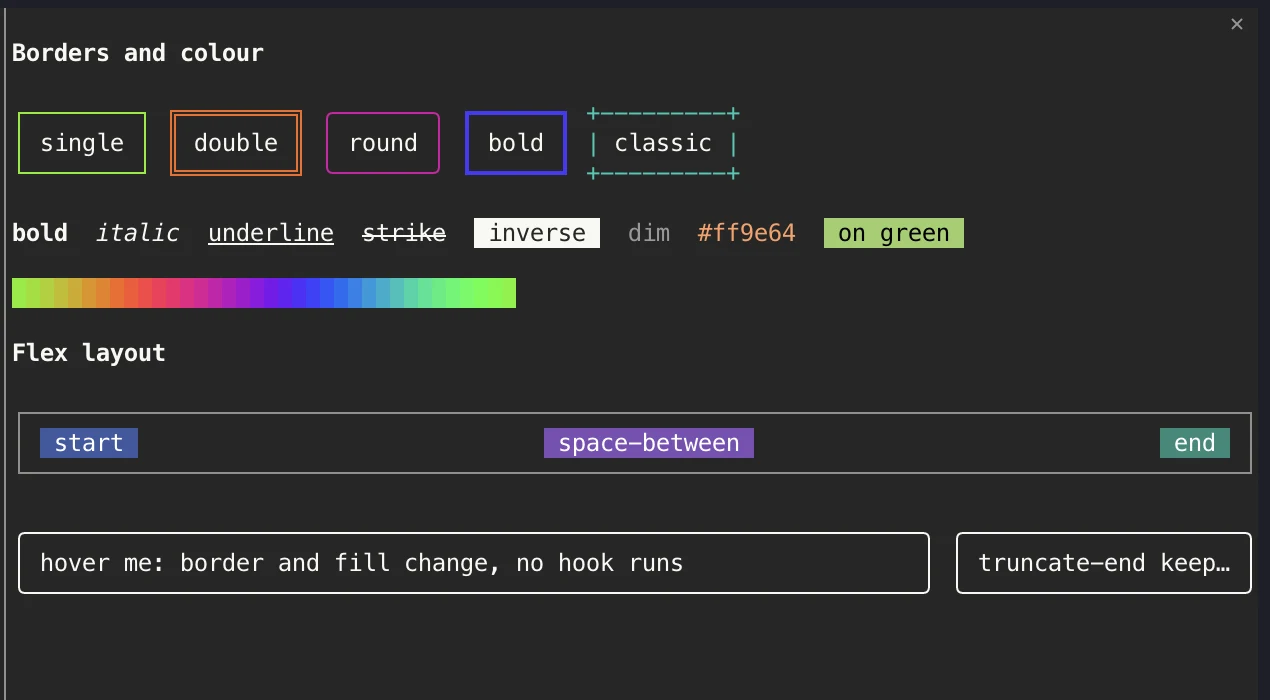
A terminal-flavoured flexbox: direction, wrap, gap, justify and align, fixed or percentage sizes, padding and margin. Boxes take five border styles in any hex colour. Text can be bold, italic, underlined, struck through, inverse or dim, in any foreground and background colour, and can truncate at the start, middle or end.
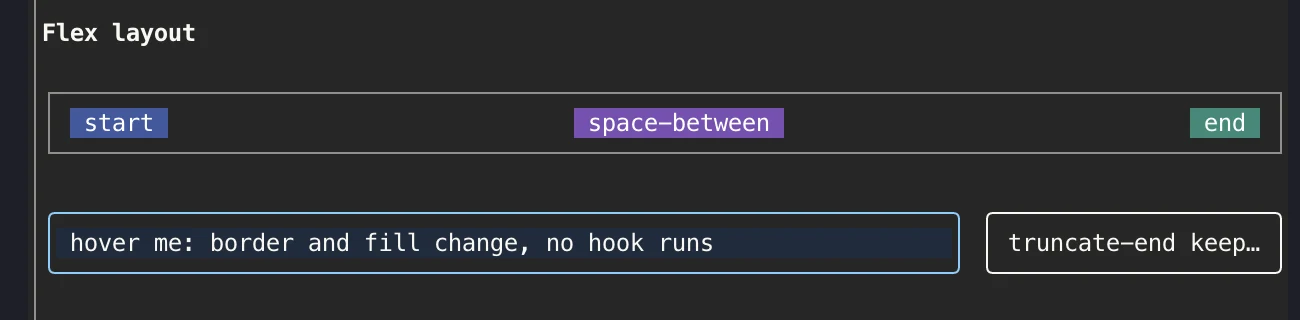
Hover needs no hook. A keyed Box declares a hover style, and the surface applies it while the pointer is over it. A scope can light a whole group of elements across different sites at once.
send mouse position.Controls with handlers
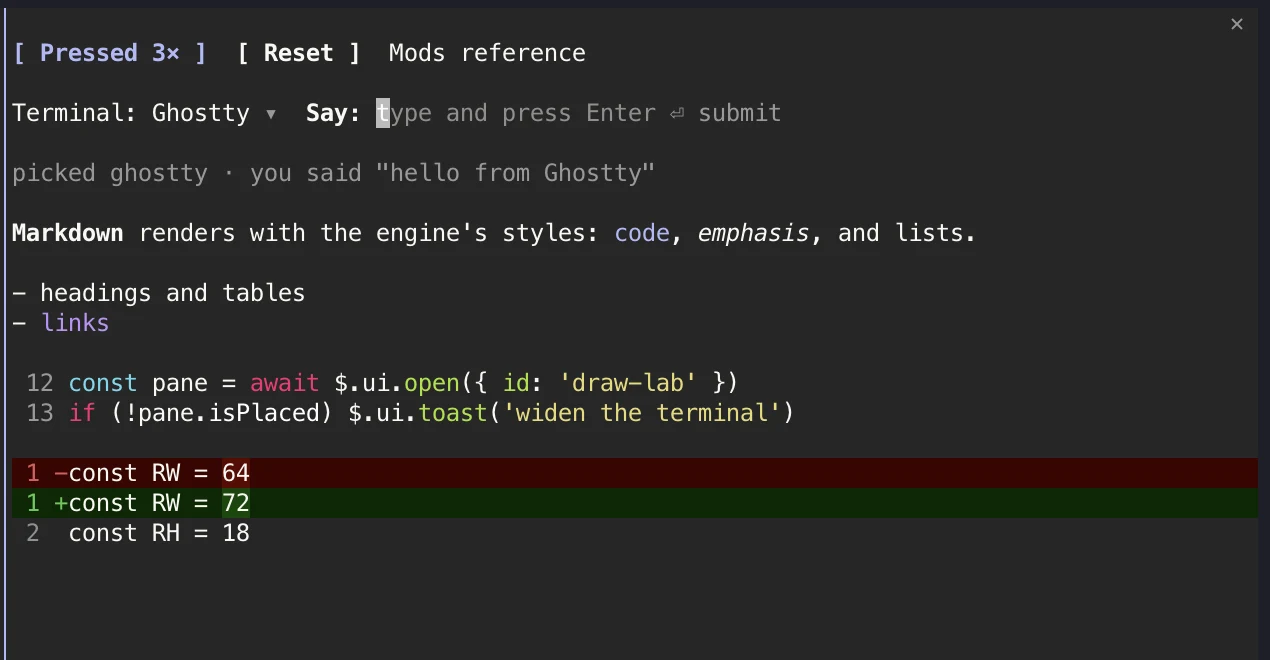
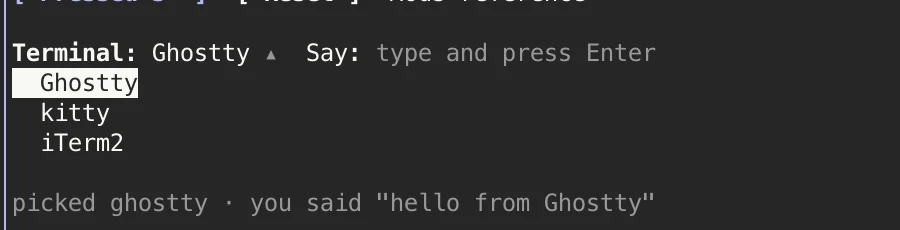
Buttons, a Select and an Input call back into the hooks module. Here each handler writes an atom, and every drawing that reads that atom redraws. In the recording the primary button was clicked three times. Then "hello from Ghostty" was typed into the field and submitted, and the line under it echoed the text.
Markdown and Code use Claude Code's own renderers, so the mod's output matches the transcript's styling. Code can number lines from any start line, or read the source as a unified diff.

Raster: a cell grid you repaint
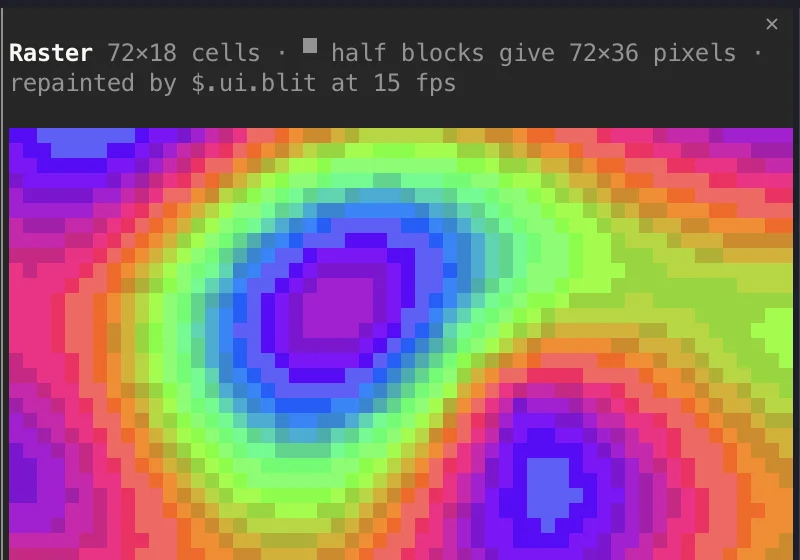
A Raster is a fixed box of cells. Each cell is one character with a 24-bit foreground and a 24-bit background. Using the upper half block ▀ turns each cell into two pixels, so a 72×18 Raster is a 72×36 image. A timer calls $.ui.blit with new cells, and the surface repaints at its next frame without redrawing the tree.
- size1–512 columns × 1–256 rows
- cellsbase64 of little-endian u32 triplets: code point, foreground, background
- colour
0x00RRGGBB, or bit 24 alone for the terminal default; 1,024 distinct pairs at once - glyphOne printable width-1 BMP character: blocks, box drawing and braille all work
const words = new Uint32Array(RW * RH * 3)
// for each cell: [▀, top pixel colour, bottom pixel colour]
words[i] = 0x2580; words[i + 1] = top; words[i + 2] = bottom
const cells = new Uint8Array(words.buffer).toBase64()

$.clock.every(66, () =>
$.ui.blit({ requestId: 'draw-lab', key: 'plasma', cells: plasma(t += 0.066) }))Image: real pixels
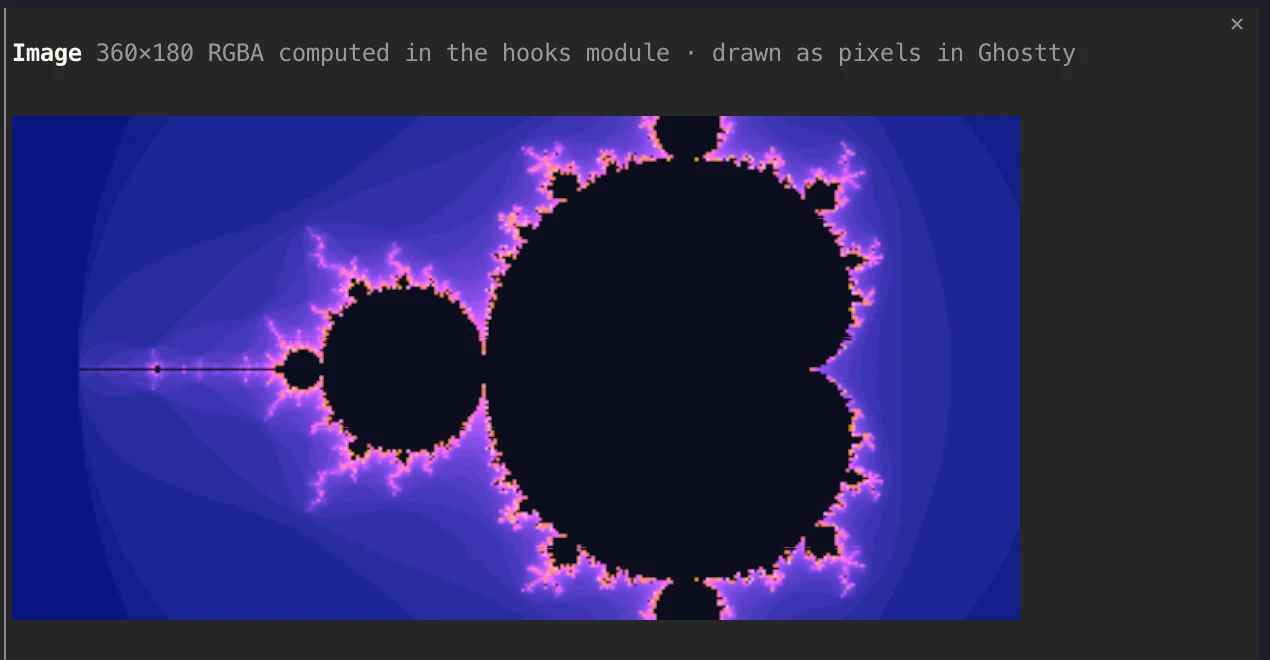
An Image places a picture over a box of cells, scaled to fill it. The terminal draws it with its graphics protocol, so in Ghostty it shows real pixels. On a terminal without one, the required alt text is drawn dim in its place. The Mandelbrot set here is computed in the hooks module as 360×180 RGBA bytes.
- sources
{ png },{ rgba, width, height }, a{ file }path, or a POSIX shared-memory name - limitsUp to 255×255 cells, 2048×2048 pixels, 2 MiB of bytes
- videoKeyed,
$.ui.blitswaps the source at frame rate. A shared-memory source lets another process stream frames, and no pixels pass through the mod.
Client: a module with its own loop

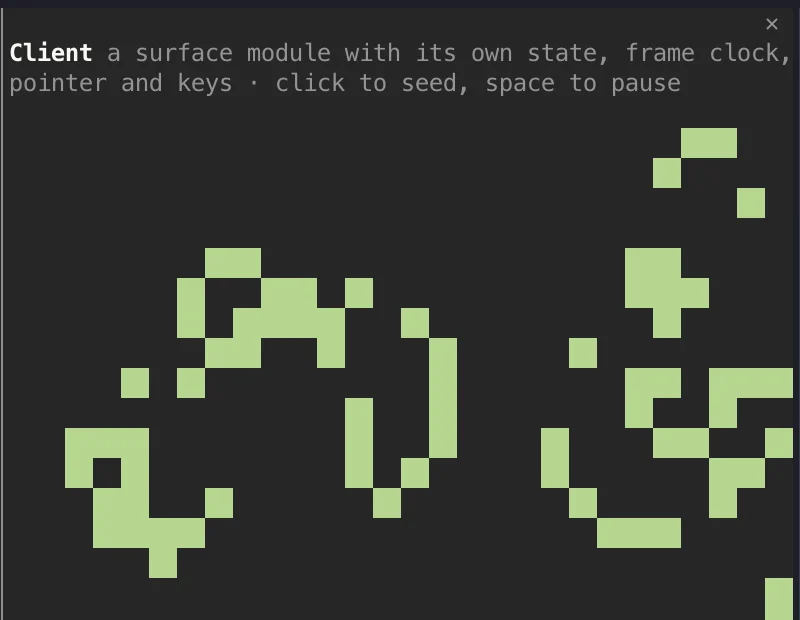
A Client hands a region to one of the mod's surface modules. That module runs on the drawing thread with local state, its own frame clock, a pointer listener and a key listener. It draws with the same Box and Text elements, and can post data back to the hooks module. Here it runs Conway's Game of Life at about eight generations a second, with no round trip through the hooks module.
- surface
state,setState,every,onPointer,onKey,post,columns,rows - pointerCells plus sub-cell
fineposition; a drag holds the pointer past the edges - bounds20,000 nodes, 32 deep, 100,000 characters, one second per call; three
setStatecalls in a row with no input unmount it
const LifeView: ClientModule<null, Life> = (_props, surface) => {
  if (surface.state === undefined) {
    surface.setState(fresh())
    surface.every(120, () => surface.setState(step(surface.state)))
    surface.onPointer(ev => { /* paint cells under a drag */ })
  }
  return <Box flexDirection="column">{rows.map(r => <Text>{r}</Text>)}</Box>
}Restyling Claude Code itself
The same hooks redraw Claude Code's own interface. draw-lab changes four sites and returns next(e) for everything else:
- SpinnerA ◆ and a rainbow verb, plus the live mode: responding, tool-input, tool-use
- ToolUseEach Bash call as a bordered card coloured by state, showing its description and command
- ToolGroupPasses
isExpanded: truetonext, so grouped Bash calls unfold into ToolUse rows - TurnDuration
◷ 3.8s · Brewed · drawn by draw-lab - PromptHintThe
/drawpage list, added after Claude Code's own hint line withtail
/draw skin toggles an atom, and every one of those sites redraws, including rows already in the transcript.


Splitting the pane under a running mod
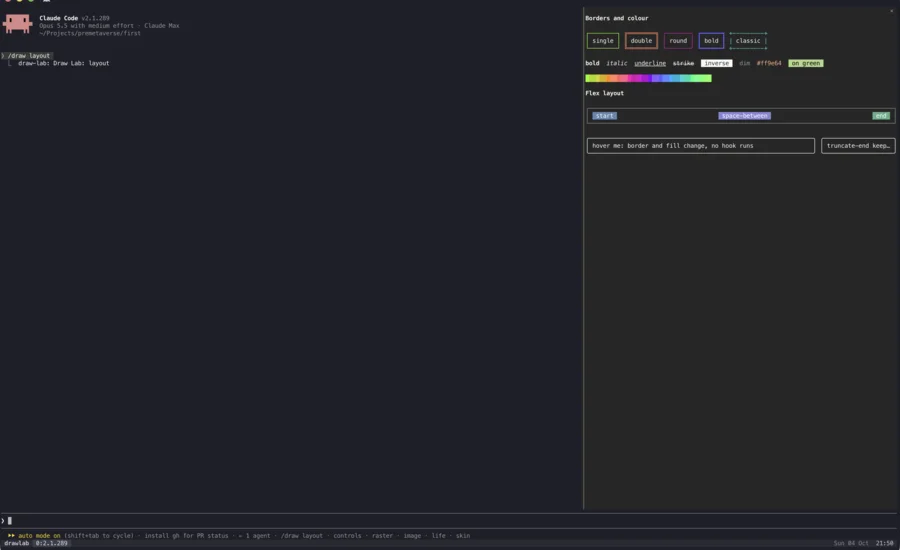
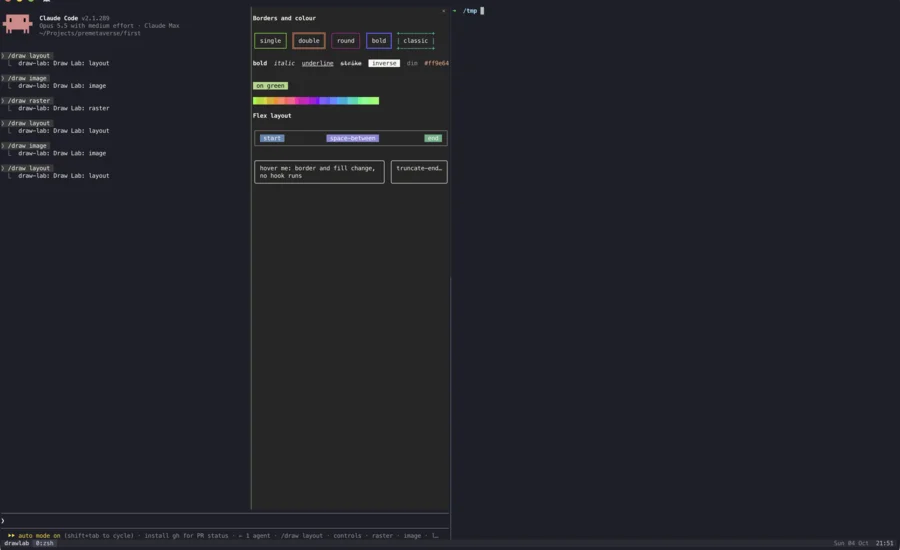
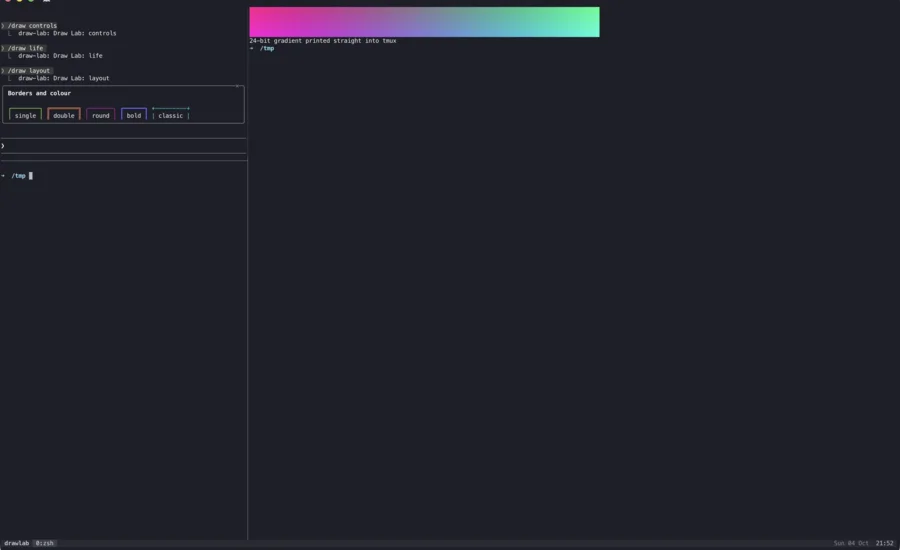
The same mod, run inside tmux on its own test server (tmux -L drawlab, so no real session was touched). The demo split the window side by side, split Claude's half again top and bottom, squeezed it to 70×20 with resize-pane, then removed the other panes. Each pane change is a real terminal resize as far as Claude Code is concerned.

| What | Result | What happened |
|---|---|---|
| Box and Text layout | reflows | Every width change re-ran the ui.render hook with the new bodyColumns. Wrapping rows wrapped, and fixed-width boxes stayed fixed. |
| Pane placement | adapts | Docked at 256 and 128 columns, inline at 70×20, and docked again when the width came back. The pane was never dropped, because it had been opened by a command. |
| Client (Life) | re-measures | The module was called again with new columns and rows and started a board that fits. This only works since the 0×0 fix described below. |
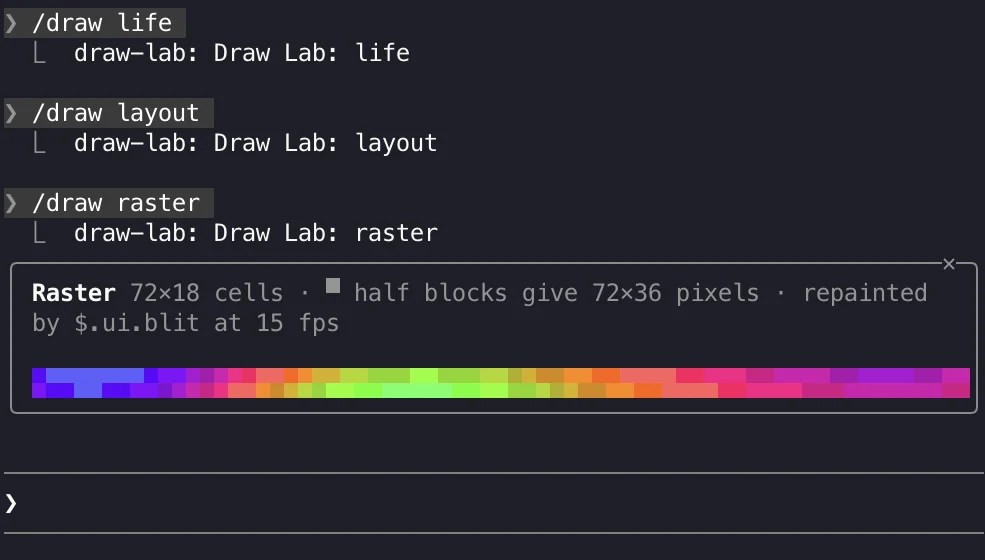
| Raster | clips | Its size is fixed at 72×18 cells. At half width the right side was cut off, and inline only two rows showed. The animation kept running throughout. |
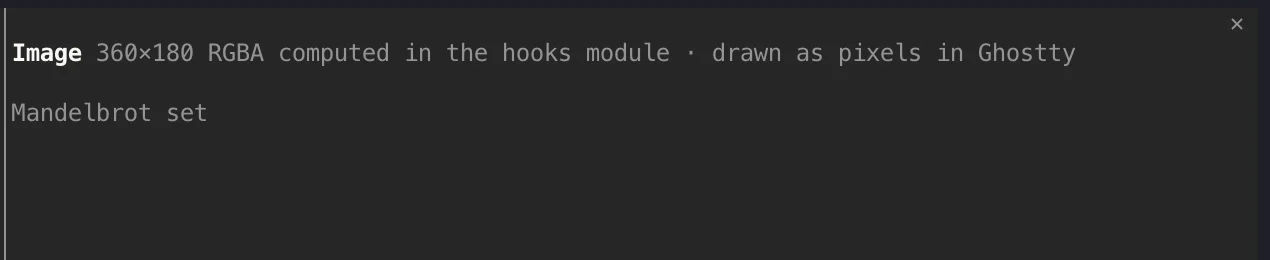
| Image | alt text | Drew "Mandelbrot set" instead of pixels at every size, including in a fresh Claude started with tmux's allow-passthrough on. |
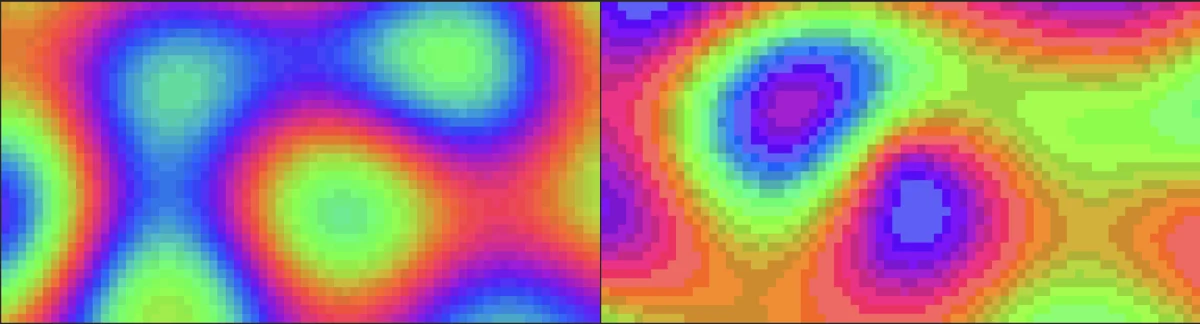
| Truecolour | reduced | Raster and colour ramps came out banded. A 24-bit gradient printed straight into the same tmux was smooth, so the reduction happens before tmux. Setting FORCE_COLOR=3 changed nothing. |

What this means for a mod author
Size Rasters and Images from e.props.bodyColumns and the pane's scroll.bodyRows instead of fixed numbers, and redraw at the new size when the hook runs again. A height-only change redraws nothing, so a hook that cares about height should read it from the Pane props or from a Client's rows. Give every Image a useful alt, because inside tmux the alt is all anyone sees. Don't let the meaning of a drawing depend on subtle colour differences, which may be reduced to a 256-colour palette.
What surprised us
- Quirk
Tool calls are grouped before a ToolUse hook sees them
Two read-only Bash calls became one folded line, "Listed 1 directory, ran 2 shell commands", and the card hook never ran. The fix is the documented one: a
ToolGrouphook passesisExpanded: truetonext. - Quirk
A streaming call looks finished
While the model is still writing a tool call's input, its row arrives with
isRunning: falseand no command. The first card drew a green ✓ "Shell $" before anything ran. The card now treats an empty command as "Preparing command…". - Bug
A variable named
hbreaks JSXThe Life module used
hfor the board height. JSX compiles to calls to a globalh, so the module crashed with "h is not a function". The typings warn about this. A mount test caught it before the recording. - Bug
A Client's first call measures 0×0
surface.columnsandrowsare 0 until the first layout. Handlers that captured the size on that first call kept an 8×4 board for good. The size now lives in state and is re-measured on every call. - Quirk
Hover needs a keyed Box
An unkeyed Box with
hoveris refused, and the engine draws its own default instead. Add akey, or ascopethat names a hover group. - Limit
Synthetic input did not reach the Client
Ghostty's AppleScript mouse and key events reached Buttons, Inputs and the Select, but the Life board did not respond to a scripted drag or Space. The test kit confirms the module's pointer and key handlers work, but this recording has no capture of them in Ghostty. A real mouse is the next thing to try.
- Limit
The Select change went unrecorded
Ghostty's
send keyhas no name for the down arrow, and clicking an option in the open list did not pick it. The recording shows the Select open, but not changed. - Bug
Replacing the prompt hint hides Claude Code's own hints
The first PromptHint hook drew its own text in place of the whole line, which also removed Claude Code's live hints, such as "install gh for PR status" and the agent count. The hook now leaves the line alone and appends its text through the
tailprop, which the typings document for exactly this. The hero shot above was taken before the fix. Note that Claude Code's built-in context meter is not always on: it appears only within 20,000 tokens of the auto-compact point. For a permanent readout, use a status line withcontext_window.used_percentage. - Quirk
Hot reload redraws the past
Editing the mod while the demo session ran reloaded it within the turn, and earlier transcript rows were redrawn by the new hooks. That's useful for iterating on a look, but it also means old rows never record what was on screen at the time.